You do not need coding. You do not need maths. And you only need a phone or a computer, and 30 minutes a day. This guide will show you the full road, step by step.
Everyone is talking about AI.
Your friends. The news. Job websites. Everyone.
And maybe you are thinking: “I also want to learn AI. But where do I start?”
Maybe you are also scared. You think AI is only for engineers. Only for people who know coding. Only for toppers in maths.
That is not true.
In 2026, anyone can learn AI. A student. A shop owner. A homemaker. A person looking for a job. Anyone.
This is the complete roadmap of AI for beginners. Read it slowly. Follow it step by step. In 6 months, you will know more about AI than 95% of people around you.

What is AI? (In Very Simple Words)
AI means Artificial Intelligence.
In simple words: AI is a computer program that can think a little bit like a human. It can read, write, talk, draw pictures, and answer questions.
You are already using AI every day. You just don’t know it.
- Google Maps tells you which road has traffic. That is AI.
- YouTube shows you videos you like. That is AI.
- Your phone camera makes your photo look better. That is AI.
- UPI apps catch fraud payments. That is also AI.
So AI is not some new alien thing. It is already in your pocket.
The new thing is: now you can use AI to do your work. Write letters. Make designs. Study for exams. Build a business. And companies are giving jobs to people who know how to use AI well.
Can I Learn AI Without Coding and Maths?
Yes. 100% yes.
Let me explain with a simple example.
Think about a car. There are two types of people:
- People who drive the car.
- People who make the car.
To drive a car, you don’t need to know how the engine works. You just learn driving.
AI is the same.
To use AI (like ChatGPT, Gemini, Claude), you need zero coding and zero maths. You only need to learn how to talk to AI properly. This is called prompting, and we will learn it in this guide.
To build AI (make new AI programs), you need some coding, like Python. But that is a later step. Not the first step. And many people never need that step at all.
So here is the truth: Start as an AI driver. Later, if you enjoy it, become an AI maker.

What Do You Need Before Starting?
Very little. Here is the full list:
- A smartphone or a computer. A normal phone is enough to start.
- Internet connection. Even a basic data pack works.
- Basic English reading. You don’t need perfect English. AI also understands Bangla and Hindi! But a little English helps. If you want to improve, read our post on cool tips to learn English fast.
- 30 minutes every day. Daily practice is the real secret. Not talent.
That’s it. No degree. No science background. Not even expensive laptop.
The 6-Month AI Roadmap for Beginners (Step by Step)
Now the main part. This is how to start AI for beginners, month by month. Go slow. Do not skip steps.

Step 1: Understand What AI Can and Cannot Do (Week 1)
Before touching any tool, spend one week just understanding AI.
Learn these simple words. You will hear them everywhere:
- AI (Artificial Intelligence): Computer programs that can do human-like thinking work.
- Machine Learning (ML): The way AI learns from data. Like a child learning by seeing many examples.
- Generative AI: AI that can create new things — text, images, videos, music. ChatGPT is generative AI.
- Chatbot: An AI you can talk to, like ChatGPT, Gemini, or Claude.
- Prompt: The message or question you give to AI.
Also understand what AI cannot do:
- AI sometimes gives wrong answers with full confidence. Always check important facts.
- AI does not “know” you. It cannot read your mind. You must explain clearly.
- AI is a helper, not a replacement for your thinking.
Your homework for Week 1: Watch 2-3 YouTube videos on “What is AI” in Bangla or Hindi. Then explain AI to a family member in your own words. If you can explain it, you have understood it.
Step 2: Start Using AI Chatbots Every Day (Week 2-3)
Now the fun part begins. Open these free tools:
- ChatGPT (chatgpt.com) — most popular AI chatbot
- Google Gemini (gemini.google.com) — works well with Google apps
- Claude (claude.ai) — very good for writing and long documents
All three have free versions. Make an account with your email or Google ID. It takes 2 minutes.
Now use AI for your real daily work. For example:
- “Write a leave application for my office in simple English.”
- “Explain photosynthesis for a class 8 student in Bangla.”
- “Make a diet plan for me. I am vegetarian. My budget is low.”
- “Give me 5 ideas to grow my small mobile repair shop.”
Tip: You can write your prompt in Bangla or Hindi too. AI understands. Try it!
Your homework: Use AI for at least one real task, every single day, for 15 days. This daily habit is more important than any course.

Step 3: Learn Prompting — The Most Important AI Skill (Week 4-6)
Here is a secret: two people can use the same AI. One gets an amazing answer. The other gets a useless answer.
Why? Because of the prompt — the way you ask.
Good prompting is the number one AI skill in 2026. Companies even hire “prompt engineers” for this.
Use this simple formula. We call it the 4-Part Prompt:
- Role: Tell AI who to become. “You are an experienced maths teacher.”
- Task: Say clearly what you want. “Explain percentage to me.”
- Details: Give your situation. “I am a class 10 student. I find maths hard.”
- Format: Say how you want the answer. “Use simple words and 3 examples from daily life.”
Bad prompt: “Tell me about percentage.”
Good prompt: “You are an experienced maths teacher. Explain percentage to a class 10 student who finds maths hard. Use simple words and 3 examples from daily life, like shopping discounts.”
See the difference? Same AI. Very different results.
Your homework: Take 10 of your old simple prompts. Rewrite them using the 4-Part formula. Compare the old answer and the new answer. You will be surprised.
Step 4: Explore AI Tools Beyond Chatbots (Month 2)
AI is not only chatting. In month 2, try these types of tools:
- AI for images: Canva AI, Microsoft Designer, Ideogram — make posters, logos, and social media posts by typing what you want.
- AI for documents: Upload a PDF to ChatGPT or Claude and ask questions about it. Great for students.
- AI for voice: Tools that turn your speech into text, or text into a natural voice.
- AI for study: Ask AI to make quiz questions, summaries, and flash cards from your book chapters.
- AI for coding help: Even without knowing coding, tools can now build small websites and apps for you. We wrote a full list here: top AI code editors and generators.
Your homework: Pick any 3 tools. Make one real thing with each. For example: one poster for a local shop, one study summary, one small webpage.

Step 5: Learn the Basic Concepts Behind AI (Month 3)
By now, you are comfortable using AI. Good. Now go one level deeper. Still no maths, promise. Just ideas.
Learn these concepts in simple form:
- How machine learning works: AI learns from examples (data), like you learned to recognise mangoes by seeing many mangoes.
- What is training data: The examples used to teach the AI.
- What is an LLM: Large Language Model — the “brain” behind ChatGPT, Gemini, and Claude. It learned from a huge amount of text.
- What is an AI agent: An AI that can do multi-step work by itself, like searching, comparing, and booking. This is a big topic in 2026.
- AI safety and mistakes: Why AI sometimes “hallucinates” (makes up wrong information), and why you must verify.
A fun trick: ask AI to teach you AI! Try this prompt: “Teach me how machine learning works. I am a complete beginner. Use a story about a fruit seller.”
Step 6: Do Small Real Projects (Month 4-5)
Knowledge without projects is like swimming lessons without water.
Pick 2-3 small projects. Here are ideas:
- For students: Make full study notes and a question bank for one subject using AI.
- For job seekers: Build your CV and cover letter with AI. Then practise interview questions with AI as the interviewer.
- For small business: Create one month of social media posts, a price list poster, and customer reply messages using AI.
- For creative people: Write a short story or make an art series with AI image tools.
Save your work. Take screenshots. This becomes your portfolio — proof that you can work with AI. It helps a lot in job interviews.
Step 7: Choose Your Path (Month 6)
After 5 months, you will know AI well as a user. Now choose your direction:
Path A: AI Power User (no coding)
Go deeper into AI tools for your field — teaching, design, marketing, office work, business. Learn AI automation tools that connect apps together. Many people earn well as freelancers with only these skills. Read our guide on what is freelancing and how to get work from home jobs.
Path B: AI Builder (with coding)
If you enjoyed the technical side, start learning Python. Python is the main language of AI, and it is famous for being beginner-friendly. It reads almost like English. Our Python training course is built exactly for this step. After Python, you can slowly move to machine learning.
Path C: Formal Study
If you are a student planning college, see our list of 20 top colleges to study AI/ML in West Bengal. And if you just finished school, check the top 10 IT and computer courses after class 12.

5 Common Mistakes Beginners Make (Avoid These!)
- Watching too many videos, doing nothing. One hour of practice beats ten hours of watching. Open the tool. Type. Try.
- Trying to learn everything at once. New AI tools come every week. You cannot learn all. Master a few. Ignore the noise.
- Believing everything AI says. AI can be confidently wrong. For exams, health, money, and legal matters — always double-check.
- Starting with coding first. Many beginners jump into Python on day one, get scared, and quit. Learn to use AI first. Code later, if needed.
- Copy-pasting AI answers without thinking. Teachers and employers can tell. Use AI as a helper. Add your own thinking on top. That combination is the real skill.
How Long Does It Take to Learn AI?
Honest answer:
- 2-3 weeks: You can use AI chatbots comfortably for daily work.
- 2-3 months: You can write strong prompts and use many AI tools with confidence.
- 6 months: You have projects, a portfolio, and skills that most people around you do not have.
- 1 year+: If you take the coding path, you can start building your own AI-powered projects.
Remember: 30 minutes daily for 6 months is better than 5 hours once a week. Small daily steps win.
Learning Alone vs Learning With a Teacher
Can you learn AI alone with free videos? Yes, some people can.
But here is what happens to most people learning alone:
- They get confused about what to learn next.
- They have doubts, but no one to ask.
- They lose motivation after 2-3 weeks.
- They quit — and blame themselves.
A good teacher and a fixed class routine solve all four problems.
If you are near Habra, Barasat, Ashoknagar, or anywhere in North 24 Parganas, we teach this full roadmap step by step in our AI Course for Beginners. Small batches. Simple language. Bangla explanation when needed. Real projects.
And if you are a designer or developer who wants advanced skills, we also have an Advanced AI Course for Designers & Developers.
Have a question first? Just contact us here. We reply fast.

Frequently Asked Questions (FAQ)
1. Can I learn AI on a mobile phone?
Yes. ChatGPT, Gemini, and Claude all have free mobile apps. You can complete the first 3 steps of this roadmap on a phone. A computer helps later, for projects.
2. Do I need to know English well to learn AI?
No. Modern AI understands Bangla and Hindi. You can chat with AI in your own language. Basic English helps you learn faster, and using AI daily actually improves your English too.
3. Is AI hard to learn for a non-technical person?
Using AI is not hard at all. If you can use WhatsApp and YouTube, you can learn to use AI. Building AI is harder, but that is optional, not compulsory.
4. What jobs can I get after learning AI?
AI skills help in almost every job today — office work, data entry, digital marketing, content writing, design, teaching, and customer support. Special roles like prompt specialist, AI content creator, and AI automation freelancer are also growing. With coding, doors open to AI developer and data roles too.
5. Which is the best AI course near Habra?
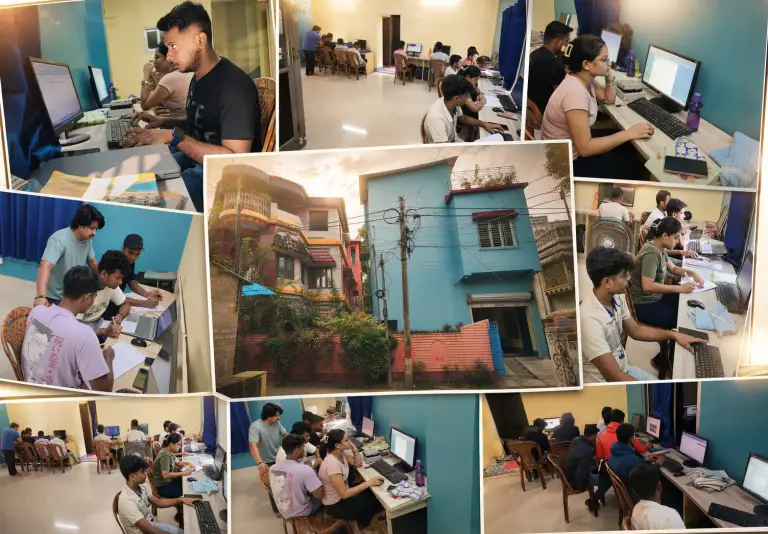
Learn Computer Academy in Habra offers a complete AI course for beginners with offline classes, simple teaching in English and Bangla, and hands-on projects. Students from Habra, Ashoknagar, Barasat, Gobardanga, Bangaon, and nearby areas join us.
6. Is AI a good career in 2026?
Yes. Companies in every field are using AI, and they need people who can work with it. Learning AI now is like learning computers in the 1990s — the people who start early get the advantage.
Start Today. Not “Someday”.
Let’s be honest.
Most people will read this post, feel motivated, and do nothing.
Don’t be most people.
Here is your first task. It takes 10 minutes:
- Open chatgpt.com or claude.ai on your phone.
- Make a free account.
- Type this: “I want to learn AI from zero. Ask me 5 questions about myself, then make a simple 30-day plan for me.”
That’s it. You have started your AI journey.
And when you want a teacher beside you, a proper routine, and real projects — our AI Course for Beginners is waiting for you at Learn Computer Academy, Habra.
The best time to learn AI was last year.
The second best time is today.