Searching for the best AI tools for students? Stop collecting apps and start using the right ones. In this post I will show you the 10 AI tools worth learning in 2026 — what each one actually does, which ones are truly free, and how a student in Bengal can use them for study AND earning.
First, a warning from a teacher’s heart.
Every month, some student proudly tells me, “Sir, I have 25 AI apps on my phone!”
And when I ask them to actually DO something — write a proper letter, make a decent poster — they struggle. Twenty-five apps, zero skill.
More tools do not make you smarter. The RIGHT tools, used daily, do. So here are the ten that matter, in order of importance.
AI Tools for Students: The Top 10 in 2026
1. ChatGPT — The All-Rounder
What it does: Explains hard chapters in simple words, writes and fixes English, makes study plans, prepares you for interviews — the Swiss knife of AI. Free? Yes, the free version of ChatGPT is enough for students. Student use: “Explain this chapter like I am in class 8” is the most powerful sentence in your study life now.
2. Google Gemini — The Free Powerhouse
What it does: Same family of work as ChatGPT, connected with Google’s world — search, Gmail, Docs. Understands Bengali well. Free? Yes, generously — and Gemini has offered special student plans too. Student use: Keep both ChatGPT and Gemini; when one gives a weak answer, ask the other. Comparing their answers teaches you more than either alone.
3. NotebookLM — The Secret Study Weapon
What it does: Upload YOUR notes, PDFs, and book chapters — then ask questions, and it answers only from your uploaded material. It can even turn your notes into an audio discussion you can listen to like a podcast. Free? Yes, with a Google account at NotebookLM. Student use: This is the most underused tool on this list. Before exams, upload your syllabus material and quiz yourself. Because it only reads YOUR files, it will not mix in wrong outside information.
4. Canva — Design Without Being a Designer
What it does: Posters, project covers, presentations, social media posts, resumes — with AI features that generate images and write text for you. Free? The free plan of Canva covers most student needs. Student use: This is also your first EARNING tool — local shops pay for the posters you can make with it. College project + side income, same app.
5. Perplexity — Research With Proof
What it does: Answers questions like a chatbot but shows the SOURCES it used, with links. Free? Yes, Perplexity has a solid free tier. Student use: For projects and assignments where you must show where facts came from. One habit though — open the source links and check them. Sources attached does not automatically mean sources correct.

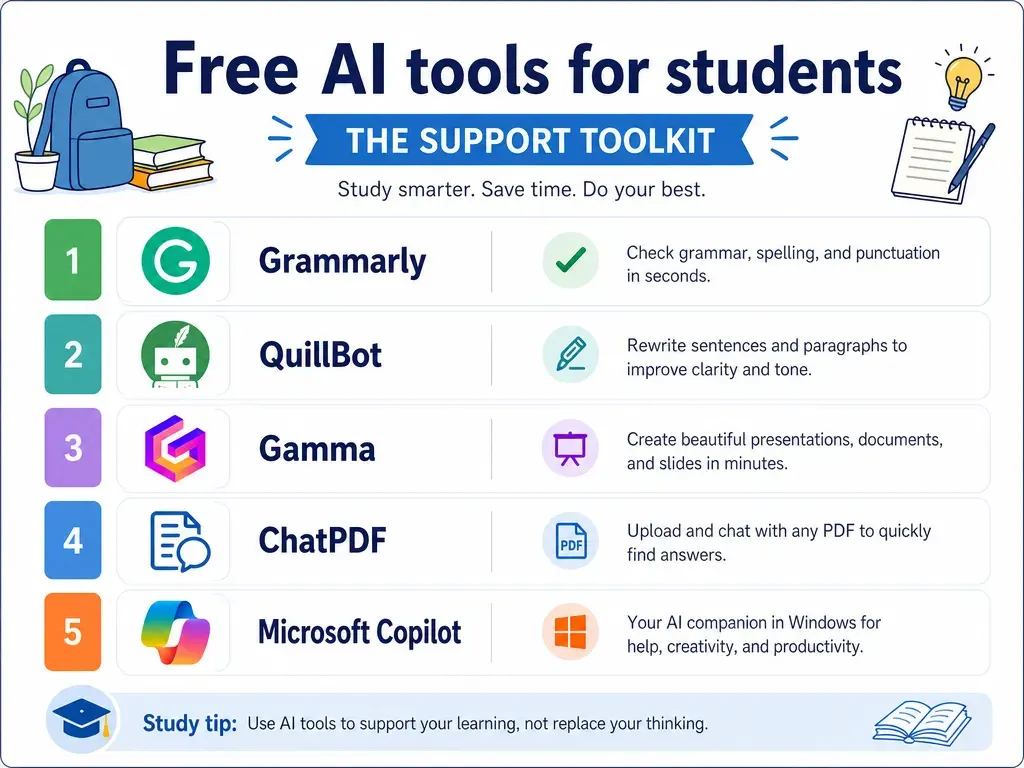
6. Grammarly — Your English Bodyguard
What it does: Checks your grammar, spelling, and sentence clarity as you type — in emails, forms, applications, everywhere. Free? The free version of Grammarly handles the basics well. Student use: Install it once, and every English sentence you write gets silently checked. For those of us whose English is a second language, this quietly removes years of hesitation.
7. QuillBot — Say It Another Way
What it does: Rewrites sentences in different styles and summarises long text into short points. Free? QuillBot free plan covers light daily use. Student use: When your answer sounds copied from the book, QuillBot helps you say it in your own way — and its summariser turns a 10-page chapter into revision notes.
8. Gamma — Presentations in Minutes
What it does: Type your topic, and Gamma builds a full, good-looking presentation — slides, design, structure, everything. Free? Free plan gives you enough credits for regular college work. Student use: The night-before-presentation panic? Gone. Also a small earning skill — many working people will pay a student who makes clean presentations fast.
9. ChatPDF — Talk to Your PDFs
What it does: Upload any PDF — question papers, study material, government notices — and ask it questions directly. Free? ChatPDF free plan allows limited daily PDFs, fine for student use. Student use: Old question papers become interactive — “Which chapters do most questions come from?” Try that once before an exam and you will never study blind again.
10. Microsoft Copilot — The Free Bonus
What it does: Microsoft’s AI assistant — chat, image creation, and help inside Windows and the Edge browser. Free? Yes, Copilot is free to use. Student use: If your computer runs Windows, Copilot is already sitting there. Its free image creation is handy for project covers and creative work.
Important: Do NOT Learn All 10 at Once
Remember the boy with 25 apps? Do not become him.
Here is the sensible plan:
- Month 1: Only ChatGPT + Canva. Daily use, real tasks. These two alone change your student life.
- Month 2: Add NotebookLM for study and Gemini as your second brain.
- Month 3: Add the rest as needs appear — Gamma when a presentation comes, ChatPDF when exams come.
Tools are easy. The skill that makes ALL of them powerful is writing good instructions — which I taught step by step in Prompt Engineering for Beginners. Learn that method once, and every tool on this list becomes twice as useful.
A Teacher’s Request: Use These Honestly
Two rules, non-negotiable.
Rule 1: AI for understanding, not for cheating. Getting AI to explain a chapter — brilliant. Submitting AI’s essay as your exam answer without learning anything — you are only cheating yourself. The exam hall has no ChatGPT.
Rule 2: Verify facts before using them. AI tools sometimes state wrong information with full confidence. Dates, names, numbers — cross-check important facts before they go into your project or application.
Students who follow these two rules get the full benefit. Students who do not, get a shortcut today and a problem tomorrow.

FAQ: AI Tools for Students
Which AI tools work on a normal smartphone?
Almost all of them. ChatGPT, Gemini, Canva, Perplexity, and Copilot have good mobile apps; NotebookLM, Gamma, and ChatPDF run in the phone browser. A budget Android phone with normal internet is enough to start.
Are the free versions really enough, or is it a trap?
For learning and student work — genuinely enough. Free tiers have daily limits, but a student rarely hits them. Buy paid plans only later, when a specific tool starts earning you money. Never on day one.
Which tools can help me earn as a student?
Canva (posters and design work), ChatGPT (content and writing work), and Gamma (presentations for working people) are the three earning tools on this list. Small local work first, online freelancing later — I explained the full path in AI Jobs Without an Engineering Degree.
I am a complete beginner. Where do I actually start?
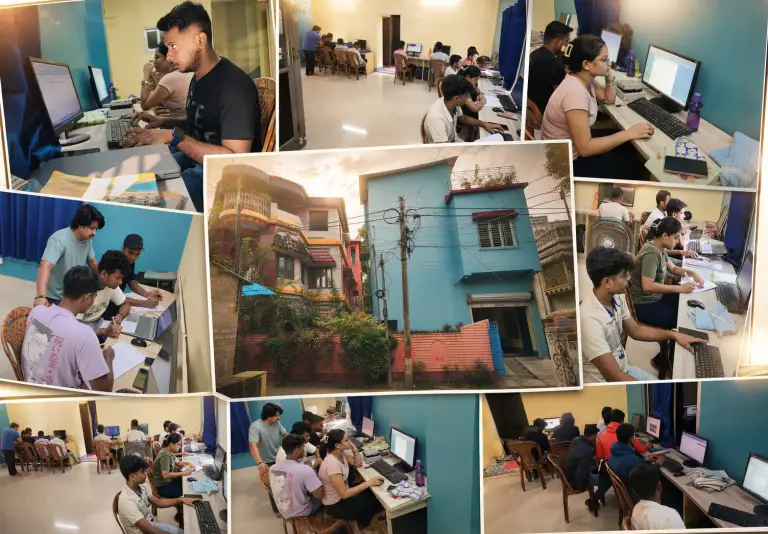
Start with my step-by-step guide: How to Start Learning AI from Zero in 2026. And if you want guided, hands-on practice with all these tools, our AI Course for Beginners in Habra covers them across 3 months with real projects.
Final Words
Ten tools. Most of them free. All of them running on the phone already in your pocket.
Five years ago, a student needed money and city access to get this kind of power. Today, a student in Habra has the same tools as a student in Bangalore or Boston. Same ChatGPT and Canva. Same free price.
The only difference left between students now is one word: usage.
So here is your homework. Tonight, open ChatGPT and ask it to explain the hardest topic in your current syllabus, in simple words. Tomorrow, make one poster in Canva for anything — your club, your shop, your own name.
Two tools, two days, and you have already started.
Want to learn all these tools properly, with projects and a teacher? Visit our AI Course for Beginners page or come to the Habra centre for a free demo class. Bring your phone — we will set up your first three tools before you leave.